Markdown to Word
Online Markdown to Word Converter with Live Preview
Drop your Markdown file here
or click to browse · .md, .markdown, .txt
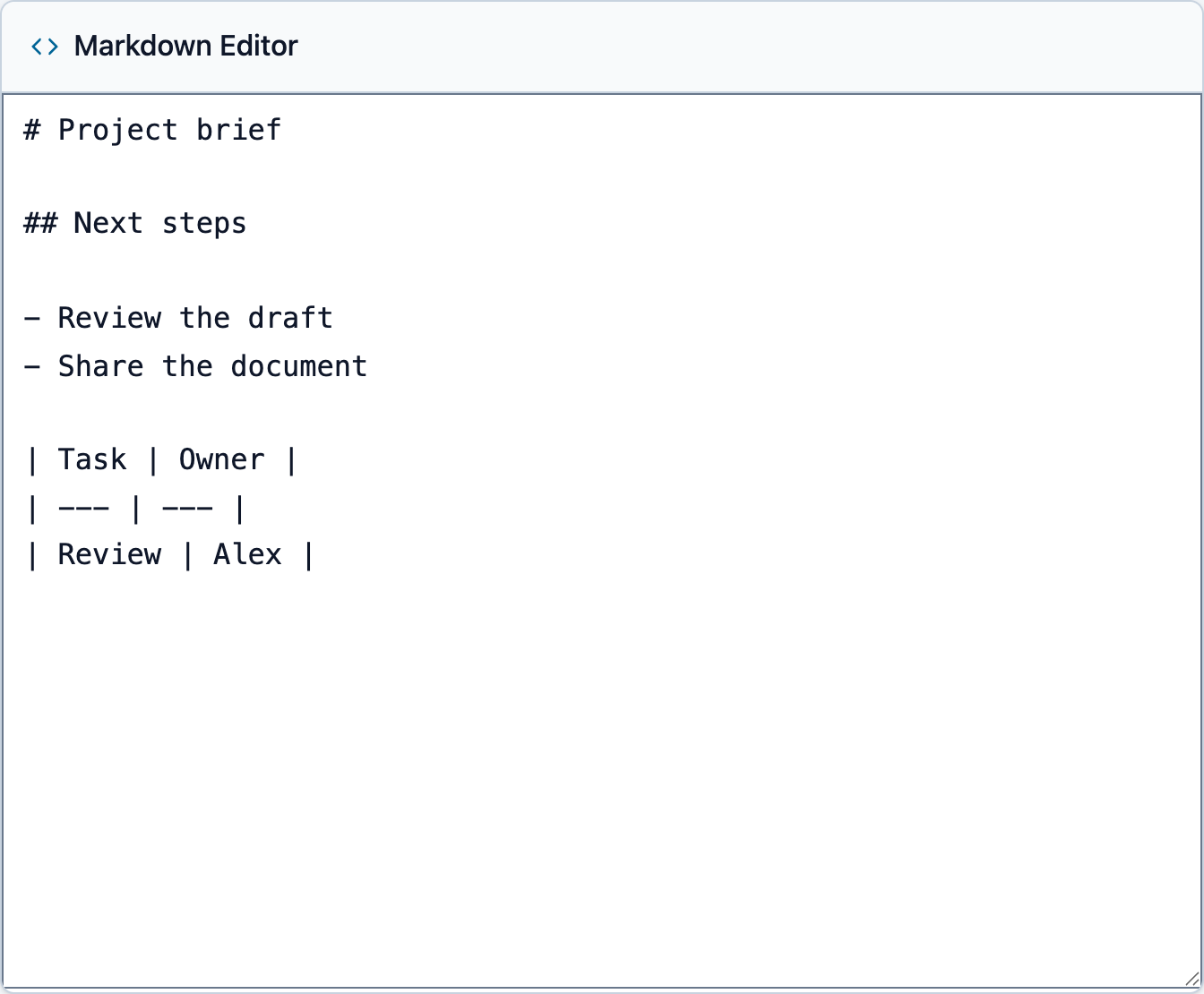
Project brief
Next steps
- Review the draft
- Share the document
| Task | Owner |
|---|---|
| Review | Alex |
What the converter does
Paste Markdown, review the live preview, and export as Word DOCX or PDF in one place. No uploads, no signup, and no software to install.
Local file processing
Read and convert files in your browser; source documents are not uploaded for conversion.
Private Markdown Converter Without File Uploads
Documents are converted locally. Remote images may contact their hosts; optional saved drafts remain in browser storage. Review the privacy policy before using confidential content on a shared device.
Free Online Markdown Editor Tool
No registration and no software installation. Write, preview, and export Markdown directly in your browser.
Export Markdown to DOCX, PDF, and HTML
Export Markdown to Word (.docx), download PDF, or copy clean HTML from one workspace.
Markdown Live Preview
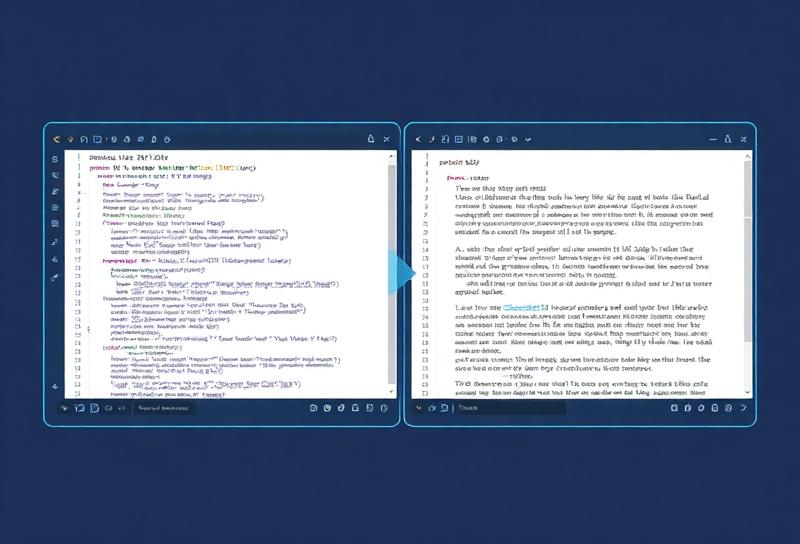
See your formatted document in real-time as you type in our markdown editor tool.
GFM Tables, Code Blocks, Lists, and Images
Headers, lists, code blocks, tables, blockquotes, and more.
Prepare your Markdown for Word
Start with a short sample containing a heading, a list and a table. Use # followed by a space for headings, and leave blank lines between paragraphs.
Tables need a header row and a separator row such as | --- | --- |. Keep nested lists consistently indented and put a language label after the opening code fence when useful.
Import .md, .markdown or .txt to read a local file. Save a copy of the Markdown source before editing; the downloaded DOCX does not replace your source file.
Check the result and fix common problems
If a table appears as plain text, check its separator row and escape pipes inside cells. If a list becomes a code block, reduce the indentation and check the surrounding blank lines.
If an image is missing, check its URL and access permissions. A browser preview can display an image whose server blocks CORS, so a visible image may still fail to embed in DOCX or PDF.
The preview checks content structure, not Word pagination. Open the downloaded DOCX in your target editor and inspect fonts, page breaks, wide tables and nested lists before sharing.
When to Export Markdown to Word DOCX vs Markdown to PDF
Choose DOCX for editable headings, paragraphs, lists and tables. Word can lay out the document differently from the browser; adjust page settings and styles in Word when needed.
This PDF export creates image-based pages. Text is not searchable or selectable, and links do not become interactive PDF links. Use it for visual copies, not accessible documents or searchable archives.
Choose HTML for web content and keep Markdown as your source. If you need a searchable PDF, export DOCX and use Word or another document editor to create the PDF, then check text selection and reading order.
File processing, local drafts and external requests
Conversion runs in your browser without uploading the source document to a conversion server. Loading the application still needs a network connection; full offline availability is not guaranteed.
Remote images can contact their original hosts during preview or export, revealing your IP address and the requested URL. Remove external image links before opening confidential material if those requests are unsuitable.
Saving a draft is optional. When enabled in the Word converter, the text is stored in this browser’s localStorage. Disable the option to remove that saved draft; keep a separate source copy on shared devices.
Optional site analytics loads only after consent. You can decline it in the banner. The privacy policy explains local storage, external requests and Google advertising services if enabled.
How to Convert Markdown to Word Online in 4 Steps
Write or Paste
Choose a .md, .markdown or .txt file to read it locally, then review its content before export. Importing the file does not upload it to a conversion server.
Preview
Check the live preview to ensure formatting looks correct
Adjust
Make any necessary edits using Markdown syntax
Download
The preview checks content structure, not Word pagination. Open the downloaded DOCX in your target editor and inspect fonts, page breaks, wide tables and nested lists before sharing.
Markdown to Word for Developers and Documentation Teams
Turn README files, API docs, and technical specs into Word documents that clients, managers, and non-technical stakeholders can review without needing Markdown tools.
Markdown to Word for Writers, Editors, and Content Teams
Draft articles, blog posts, and manuscripts in distraction-free Markdown, then export to Word for editors, publishers, or review teams. Live preview helps you confirm structure before you download.
Markdown to Word for Teachers, Trainers, and Course Creators
Prepare course materials, lecture notes, and training resources in Markdown, then export to Word or PDF for students, colleagues, or internal teams who need clean, shareable files.
From the Blog
Tutorials and tips to help you master Markdown and convert documents in seconds.
Markdown Converter FAQ for Word, PDF, HTML, and Text to Markdown
Got Questions? Find answers about Markdown to Word DOCX export, Markdown to PDF downloads, Markdown to HTML output, Text to Markdown cleanup, privacy, and browser support. Need more help? Contact us.
What is Markdown to Word conversion?
Markdown to Word conversion turns Markdown-formatted text into a Microsoft Word document (.docx). It keeps your headings, lists, emphasis, and overall structure while converting plain-text Markdown into a format that Word users can open and edit easily.
Is this Markdown to Word converter really free?
Yes. The converter is free to use, with no signup, no hidden paywall, and no software to install. You can write, preview, and export directly in your browser.
How does the Markdown Live Preview feature work?
The preview checks content structure, not Word pagination. Open the downloaded DOCX in your target editor and inspect fonts, page breaks, wide tables and nested lists before sharing.
Is my data secure when using this converter?
Documents are converted locally. Remote images may contact their hosts; optional saved drafts remain in browser storage. Review the privacy policy before using confidential content on a shared device.
Can I convert Markdown to PDF as well?
This PDF export creates image-based pages. Text is not searchable or selectable, and links do not become interactive PDF links. Use it for visual copies, not accessible documents or searchable archives.
What Markdown syntax does the converter support?
Our converter supports standard Markdown syntax including: headings (# to ######), bold (**text**), italic (*text*), links, images, ordered and unordered lists, code blocks (inline and fenced), blockquotes, and horizontal rules. Most GitHub-flavored Markdown extensions are also supported.
Can I upload existing Markdown files?
Choose a .md, .markdown or .txt file to read it locally, then review its content before export. Importing the file does not upload it to a conversion server.
What browsers are supported?
The tool works in modern browsers such as Chrome, Firefox, Safari, Edge, and Brave. Desktop and mobile browsers are both supported.
Why choose Markdown over traditional word processors?
Markdown offers several advantages: faster writing without mouse clicks, consistent formatting, easy version control with Git, platform independence, smaller file sizes, and future-proof plain text storage. It's particularly popular among developers, technical writers, and content creators who value efficiency and portability.
How do I get started with the converter?
Paste or type your Markdown into the editor, review the live preview, and download the format you need. You can export as Word, PDF, or copy HTML when the layout looks right.
Ready to convert your first document?
Try It Free — No Signup Required